- Usage
- Styles
- Animations
- Accessibility
Usage
The Text Component is a versatile element for presenting written content across AEM pages. It supports both plain and rich text formats.
The Text component is ideal for body copy, descriptive sections, and inline links, ensuring that content remains accessible, consistent with brand guidelines, and easy to maintain.
Common usage includes:
- Displaying paragraphs of text within content areas
- Adding formatted text with lists and hyperlinks
- Embedding inline links for navigation
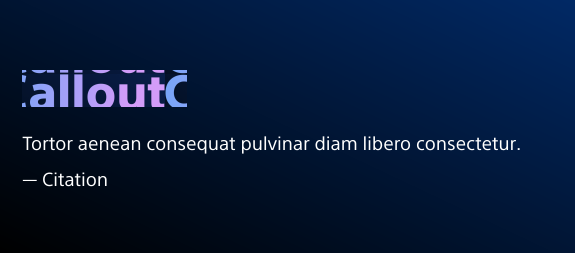
- Brand and marketing messaging (Callout style)
Dos and don'ts
Do:
- Use Callout style for important statistics, brand and marketing messaging
- Use for body copy and descriptive text
- Make sure text passes contrast ratio requirements for accessibility
- Include alt text for hyperlinks
Don’t:
- Don't replace heading elements with Callout style
- Insert large images or media. Instead, use the Image Component or Embed Media Component
Styles
Styles are used to visually amplify the Boston Scientific brand. Styles carry different brand or functional treatments that bring a distinctive look to our webpages while also helping to emphasize key information.
Brand treatment
The brand treatment should be used to visually emphasize content and provide a more tailored and distinctive look and feel to a webpage. Be mindful not to overuse and avoid treatment competing with other imagery. Ensure a balanced visual hierarchy.
Brand treatments
- Text types
- Callout (Default, Large, Small)
- Pretitle
- Accent pills
Treatment colors
- Callout: Default, Ghost, Black, White (Default and Ghost are gradients. Black and White allow you to use a gradient to highlight part of the text using the RTE styles)
- Pretitle: Default (Brand gradient, Light background, Ghost (This changes the gradient to work on dark backgrounds)
- Accent pills: Brand gradient (Default, Light backgrounds), Brand gradient light (Dark backgrounds)
Functional treatment
- Text sizes: Default, Assertive, Subtle, Small (Copyright, legal)
- Top margin: Adjust the spacing between text and elements above it
- Accent pills: Left align, Adjusts the pills to be left aligned instead of center aligned
- RTE styles: In the component RTE, you can bold and italize text or apply color styles to callout text
Animations
Animations are used to create a more dyanmic, engaging web experience by drawing attention to or highlighting key information on webpages by using subtle movements, autoplay videos, or color changes.
Dos and don'ts
Do:
- Use stat animations to draw attention to key clinical data points, patient outcomes, and other important data.
- Always decide which stats are the most important to highlight and apply the animation to those stats.
Don't:
- Don't overuse this animation or apply it to multiple sections in a row that have stats.
- Don't apply the stat animation to more than 2 rows of stats on a page or in a section.
Example
Stat animation
440K
89%
$32.9M
Accessibility
This component passes AAA WCAG standards. However, changes made by the content owner or implementer could impact accessibility compliance. Be sure to follow code standards, usage guidelines, and content guidelines.