- Usage
- Variations
- Styles
- Content guidelines
- Accessibility
Usage
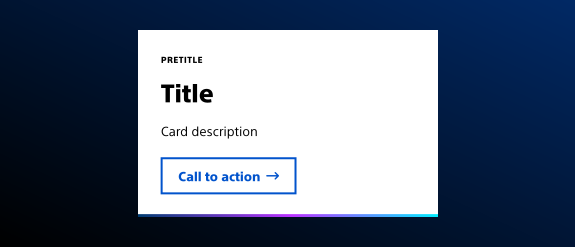
Cards are containers for organizing related content and calls to action. The Card (teaser) Component organizes content into digestible sections, provides quick access to related pages or resources, and enhances visual hierarchy and scannability.
Cards contain one idea or topic. They often operate as an entry point to a different page with more information on that topic. Cards also help with scanning and promote browsing; engagement with content.
Common usage includes:
- Product highlights
- Feature summaries
- Navigation aids within landing pages
Dos and don'ts
Do:
- Use cards for distinct but related topics
- Use cards for when users are more likely to browse rather than search content
- Use clear, concise titles and descriptions
- Include relevant imagery that reinforces the message
- Ensure the link destination is accurate and meaningful
Don’t:
- Overload with excessive text
- Link to unrelated or broken pages
- Mix patient and health care provider (HCP) content in the same set of cards
Variations
Variations are different versions of the same component with visual or structural differences depending on context.
- Vertical card with image
- Vertical card with icon (above title)
- Vertical card with left icon (left of title)
- Horizontal card with icon (left of copy)
Styles
Styles are used to visually amplify the Boston Scientific brand. Styles carry different brand or functional treatments that bring a distinctive look to our webpages while also helping to emphasize key information.
Using the brand treatment
The brand treatment should be used to visually emphasize content and provide a more tailored and distinctive look and feel to a webpage. Be mindful not to overuse and avoid treatment competing with other imagery. Ensure a balanced visual hierarchy.
This treatment is applied by selecting a treatment type and treatment color.
Available treatment types
- Pretitle treatment type
- Interactive treatment type
- Shadow treatment type
Available treatment colors
- The pretitle treatment type has three treatment color options to choose from: default, assertive, and accent
- The interactive treatment type has four treatment color options to choose from: primary accent, secondary accent, primary gradient, and secondary gradient
- The shadow treatment type has four treatment color options to choose from: default, accent, assertive, and subtle
Content guidelines
Content guidelines are principles to follow when writing digital content for Boston Scientific web pages. Following the principles ensures consistency, clarity, and quality.
Card content
- A card is a container to hold page content - for this reason, card titles follow the page’s semantic heading structure
- Cards focus the user on a single topic, and lead the user to more information about that topic - for this reason, include only one call-to-action (CTA) in a card
- Inline links should not be added to the card’s description; the card should function as an entry point for one page or action
Do:
- Use semantic heading structure
- Keep card titles short and to the point
- Write in sentence case
- Focus each card on one distinct topic
- Follow link writing guidelines
Don't:
- Skip headings
- Add inline links
- Combine two or more ideas or topics into one card
Accessibility
This component passes AAA WCAG standards. However, changes made by the content owner or implementer could impact accessibility compliance. Be sure to follow code standards and content guidelines to ensure that this component is fully accessible.
For more information, see the WAI-ARIA Authoring Practices for navigation and Deque’s screen reader keyboard shortcuts and gestures documentation.