- Usage
- Variations
- Styles
- Content guidelines
- Accessibility
Usage
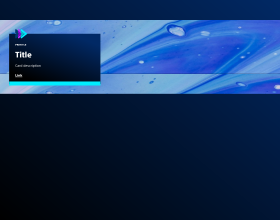
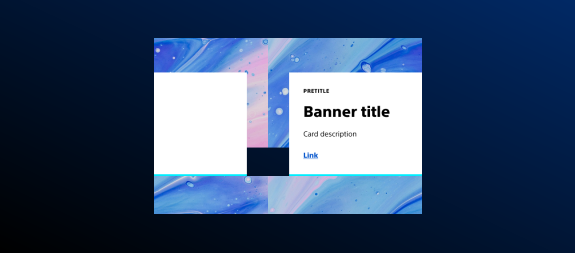
Banners are designed to highlight important announcements and to promote key content. They reinforce brand identity through visuals and messaging within a page or a section.
Common usage includes:
- Key messages
- Promotions
- Calls-to-action
Dos and don'ts
Do:
Use high-resolution images aligned with Boston Scientific brand standards
Maintain clear visual hierarchy between headline and supporting text
Ensure sufficient padding and spacing for readability
Don't:
- Embed excessive brand treatments within the image file
- Overcrowd the banner with excessive text
Image recommendations
To make an image render correctly, make sure the image is taller than your text. Here's how:
- For a full-width Banner, use a 4:1 aspect ratio
- For a medium-width Banner, try 3:1 first. If that doesn't look right, try 21:9
Variations
Variations are different versions of the same component with visual or structural differences depending on context.
Options for banner placement on an image:
- Center bottom
- Left bottom
- Left center
- Left top
Styles
Styles are used to visually amplify the Boston Scientific brand. Styles carry different brand or functional treatments that bring a distinctive look to our webpages while also helping to emphasize key information.
Using the brand treatment
The brand treatment should be used to visually emphasize content and provide a more tailored and distinctive look and feel to a webpage. Be mindful not to overuse and avoid treatment competing with other imagery. Ensure a balanced visual hierarchy.
This treatment is applied by selecting a treatment type and treatment color.
Available treatment types
- Pretitle treatment type
- Interactive treatment type
- Shadow treatment type
Available treatment colors
- The pretitle treatment type has three treatment color options to choose from: default, assertive, and accent
- The interactive treatment type has four treatment color options to choose from: primary accent, secondary accent, primary gradient, and secondary gradient
- The shadow treatment type has one treatment color options to choose from: neutral
Using the functional treatment
The functional treatment should be used to change the way a component operates to make it better fit the use case on a web page.
Top margin
Apply top margin to create space between this component and another component or to create more space within a container component. Options include: default (selected by default), increase by 1 step, increase by two steps, decrease by 1 step, decrease by 2 steps, remove.
Content guidelines
Content guidelines are principles to follow when writing digital content for Boston Scientific web pages. Following the principles ensures consistency, clarity, and quality.
Banner content
- The text block will grow with the content. If there is a lot of text added to the banner, the text block’s height could be taller than the image itself.
- To keep the text block’s height smaller than the image height, try to keep the description to one sentence.
Unique calls-to-action
For more information on the importance of unique call-to-actions (CTAs) and how to write effective button, link, and CTA text, refer to the AEM Style Guide Button and link content guidelines.