- Usage
- Variations
- Styles
- Content guidelines
- Accessibility
Usage
The Button and link component is generally used for calls-to-action.
Common button usage includes:
- Be the primary call to action on a page.
- Submit a form.
- Go to another page.
Common link usage includes:
- Show a list of hyperlinked resources.
- Go to another part of the current page, or to a different tab.
- Go to another page.
Dos and don'ts
Do:
- Use specific, clear, and concise text labels (e.g., “Contact a rep”).
- Ensure buttons are accessible and meet contrast requirements.
- Use consistent styling across pages.
Don’t:
- Overload buttons with long text.
- Use buttons for non-interactive elements.
- Place multiple primary buttons close together.
- Repeat the same call-to-action label on the same page.
Button vs. link
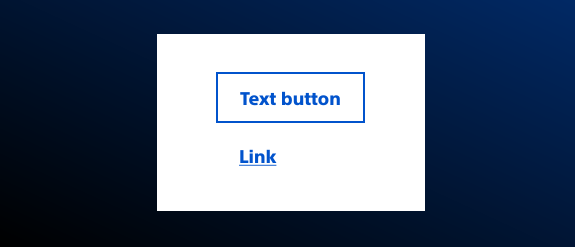
The Button and link core component can be deployed as a button or as a link. When deciding whether to use the button instance or the link instance, refer to these guidelines:
Button
Use the button style if the user will be taking an action, such as submitting a form.
Link
Use the link style when the user is going to another location, meaning another page, another URL outside of current domain, or another part of the current page (jump link).
Call-to-action (button styled as a link)
Use the call-to-action style when the link is the most important link on the page.
Link styled as a button
Use a link styled as a button to emphasize the link’s call-to-action or when the call-to-action needs to perform an action and take the user somewhere else.
Jump link
Use a jump link to link to content further down on the same page. Jump links are used for tables of content and on longer pages.
Use jump links when the page content can’t be split up into separate pages, tabs, or accordions. Do not overuse jump links; doing so makes a disjointed experience. See Content guidelines for guidance on writing clear descriptions.
Variations
Variations are different versions of the same component with visual or structural differences depending on context.
Button with icon on the right
Use an icon on the right for calls-to-actions or to indicate a specified action such as an external link, sharing capabilities, or document uploads.
Available icons
Styles
Styles carry different treatments: brand and functional. This component includes brand treatments only.
Brand treatments are used to visually amplify the Boston Scientific brand. These treatments focus on elements that reinforce the brand’s identity, such as color, typography, and other visual cues that are distinctly associated with Boston Scientific.
Brand treatment options
Available treatment types
- Default
- Assertive
- Subtle
- Ghost
Hero buttons
Branded gradient style buttons are used exclusively within the Hero core component. Explore Hero component
Content guidelines
Content guidelines are principles to follow when writing digital content for Boston Scientific web pages. Following the principles ensures consistency, clarity, and quality.
Button content
- Lead with a verb.
- Clearly indicate what will happen if the user activates the button.
- Make sure button text is different from the other buttons or actions on the page.
- Write button text in sentence case.
Correct:
- Watch video
- Add to cart
- Register to view
Incorrect:
- Video
- ADD TO CART
- Register to View
Link content
- Tell the user where the link will take them (and what the user can do there, if applicable).
- Use a verb and the active voice.
- Make sure the link text is unique and meaningful.
- Identify jump links, external links, and, if linking to non-HTML content, file types in the link text.
- Identify phone or email address links.
Correct:
- Go to Watchman
- Download the 2021 annual report (PDF)
- Learn more about our corporate responsibility
- Watch the StoneSmart story
Incorrect:
- Go to https://www.watchman.com
- Download
- Learn more
- Watch video
Accessibility
This component passes AA WCAG standards. However, changes made by the content owner or implementer could impact accessibility compliance. Be sure to follow code standards and content guidelines to ensure that this component is fully accessible.
For more information, see WAI-ARIA Authoring Practices for buttons and Deque’s screen reader keyboard shortcuts and gestures documentation.
