- Usage
- Styles
- Content guidelines
- Accessibility
Usage
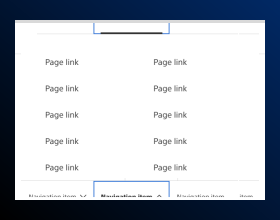
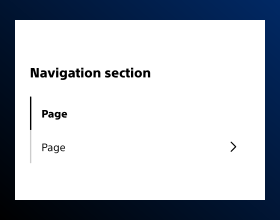
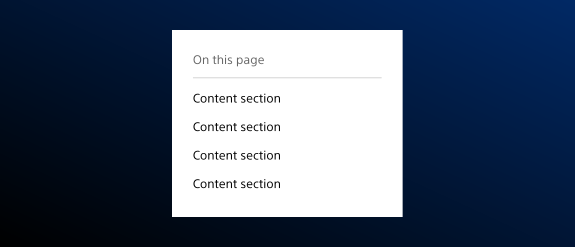
Use the Tertiary Navigation component to provide quick access to sub-pages or related content within a specific section. Tertiary navigation is generally used as a table of contents on longer pages. It is ideal for guiding users through detailed product categories, clinical content, or resource libraries.
Choose the Tertiary navigation Component when content can’t be split into separate pages, tabs, or accordions.
Common usage includes:
- Sub-navigation for technical documentation
- Links to related clinical resources
- Contextual navigation within multi-level content structures
Dos and don'ts
Do:
- Add tertiary navigation to any detail page or page that has more than two h2s
- Ensure that the tertiary navigation text passes contrast requirements if using a background color
- Split up content to separate pages if necessary
Don’t:
- Add tertiary navigation to a landing page or any page that has just one h2 - two or more are required
- Erroneously assign h2s to content so it appears in the tertiary navigation — the tertiary navigation must follow the heading structure
- Publish the placeholder section number IDs — replace the placeholders with what exists within the page content
- Put the tertiary navigation on dark color backgrounds
- Put dissimilar content on the same page
Map to section headings
Tertiary navigation links should map to section headings. Only title components that are h2s should be shown in the tertiary navigation. Make sure that each link's text exactly matches the text of its corresponding section title.
Styles
Styles are used to visually amplify the Boston Scientific brand. Styles carry different brand or functional treatments that bring a distinctive look to our webpages while also helping to emphasize key information.
Brand treatment
The brand treatment should be used to visually emphasize content and provide a more tailored and distinctive look and feel to a webpage. Be mindful not to overuse and avoid treatment competing with other imagery. Ensure a balanced visual hierarchy.
This treatment is applied by selecting a treatment type and treatment color.
Treatment type
Treatment color
Content guidelines
Content guidelines are principles to follow when writing digital content for Boston Scientific web pages. Following the principles ensures consistency, clarity, and quality.
Tertiary navigation content
Do:
- Structure your content with correct heading structure
- Make sure your h2 headings are descriptive, clear, and concise
Don't:
- Assign h2s to content that shouldn’t be an h2 so that content appears in the tertiary navigation — the tertiary navigation should follow the heading structure
- Add icons
Accessibility
This component passes AA WCAG standards. However, changes made by the content owner or implementer could impact accessibility compliance. Be sure to follow code standards and content guidelines to ensure that the link is fully accessible.
For more information, see WAI-ARIA Authoring Practices for the link pattern and Deque’s screen reader keyboard shortcuts and gestures documentation.