
- Usage
- Accessibility
Usage
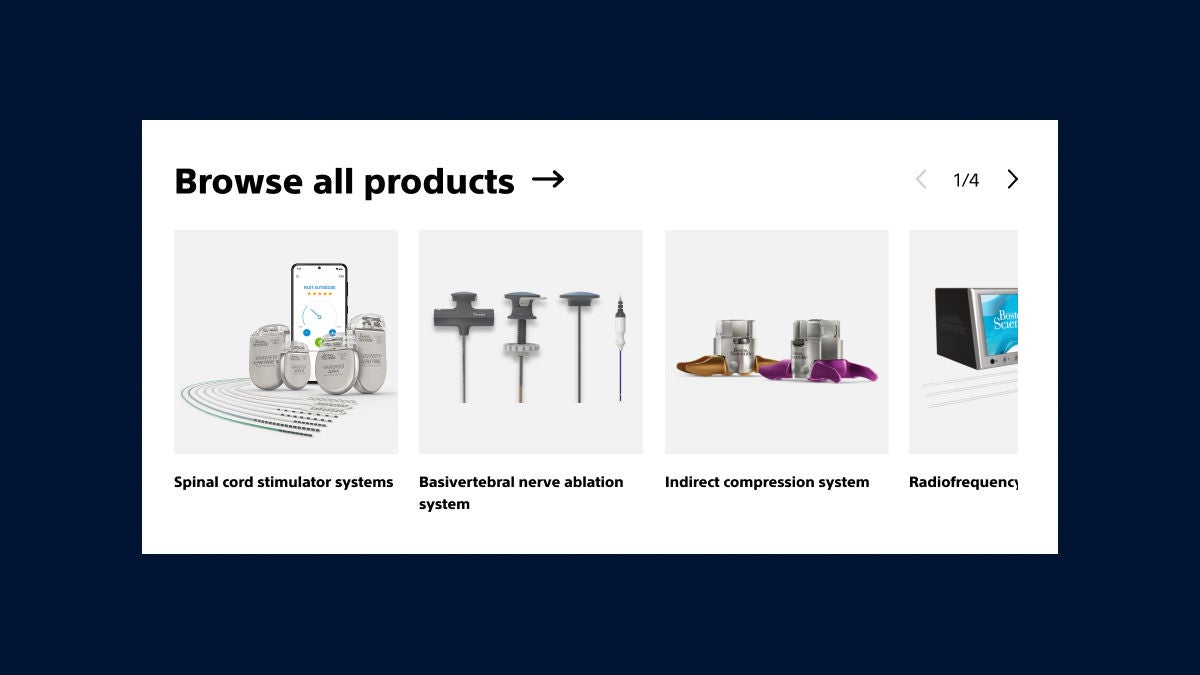
Use the product category carousel component to present a group of product categories in a concise layout.
Common usage includes:
- Medical specialty landing page
- Products landing page
Dos and don'ts
Do:
- Use this to feature or logically group product categories within a section of page
- Prioritize the most important product categories first or use analytics to determine the order of product categories in the carousel
- Use consistent imagery and naming conventions aligned to global taxonomy
- Add a link to the title if there is an overrarching page to direct users to (E.g. Specialty PLP)
- Use the single row configuration to save space and keep layouts concise
- Use the multi-row configuration when you have more than one row of product categories and every category has equal importance
Don’t:
- Use this for indidivual products, we have a related products component for that use case
- Overuse this component by having too many appear on a page, 1-3 should be the most
- Use imagery that doesn't align to GS1 photography standards
- Use category names that don't align with global taxonomy or the name of the product category page you are linking to
Accessibility
This component passes AA WCAG standards. However, changes made by the content owner or implementer could impact accessibility compliance. Be sure to follow code standards and content guidelines to ensure that this component is fully accessible.
